
 For Boys
 For Girls
 For Kids
 Top Games
 My Games
 Top Games
 My Games


Particle Life Game Online
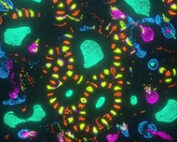
Description
What actually happens when you drop four colors of particles onto a canvas and only give them rules about attraction and repulsion? That’s the entire premise of Particle Life, and the honest answer is that nobody, including the people running the simulation, can fully predict the shapes that show up.
| Genre | Simulation / Sandbox |
| Platforms | Browser, Windows, Android |
| Core mechanic | Colored particle species attract or repel each other based on a configurable rule table |
| Player goal | Discover rule combinations that produce stable, organic-looking structures |
The Rule Table Behind Particle Life
Every particle belongs to a species, usually represented by color, and every species has a relationship to every other species defined by a single number. Positive values pull particles together, negative values push them apart, and the same pair can behave asymmetrically — red can chase green while green flees red, which is the detail that surprises most people the first time they read the rules instead of just watching the screen.
This asymmetry is the whole game. Symmetric attraction just makes blobs; asymmetric attraction is what produces the chasing, orbiting, and spiraling behavior that Particle Life is known for in simulation communities.
Beginners almost always start by cranking every value to maximum attraction, expecting more interesting results, and instead get one dense, motionless clump. The interesting patterns tend to come from restraint — small values, mixed positive and negative, and enough species that the interactions can’t settle into a single stable blob.
Friction, Collision Radius, and Why Particles Don’t Explode
Two forces keep the simulation from spiraling into chaos. A short-range collision force always repels, regardless of species, stopping particles from stacking on top of each other. A longer-range interaction force handles the attraction and repulsion defined by the rule table, and it fades to nothing past a set radius.
Friction is the other stabilizer. Without it, particles that keep attracting each other would accelerate indefinitely; with it, velocity bleeds off every frame, which is what lets clusters settle into slow orbits instead of collapsing or flying apart. Players who disable or lower friction too much in the settings usually end up with particles rocketing off the edges of the canvas within seconds.
Getting this balance right is most of what separates a Particle Life setup that looks alive from one that just looks like static noise, and it’s a point of genuine disagreement in the community — some players prefer looser friction for chaotic, unpredictable runs, while others tune it tight for slower, more deliberate structures.
Wrap-Around and Edge Behavior
By default, particles bounce off the edges of the simulation space, which tends to compress activity toward the center over time. Toggling wrap-around changes that entirely — particles exiting one edge reappear on the opposite side, which removes the walls altogether and lets clusters drift and interact without ever being pushed inward.
This single toggle changes the feel of Particle Life more than almost any other setting. Wrap-around sessions tend to produce longer-lived traveling structures, since clusters aren’t constantly colliding with a boundary and losing momentum.
Players experimenting with presets often switch this setting first before touching the rule table itself, since it’s the fastest way to see a familiar preset behave completely differently.
Presets Versus Building Your Own Ruleset
Most versions ship with a handful of presets — arrangements already known to produce chains, swarms, or orbiting pairs. These are the fastest way to see what the simulation is capable of without touching a single slider.
- Chain-forming presets, where one species trails another in long moving lines
- Orbit presets, where two species settle into a stable rotating pair
- Swarm presets, where many species cluster loosely and drift as a group
Once players understand why a preset works, the natural next step is editing individual values in the rule table and watching a known structure break down or evolve into something new. This is where Particle Life shifts from a toy into something closer to an actual sandbox, since every value change is a small experiment with a visible result.
Why do my particles all clump into one blob?
This almost always means every species has a strong positive attraction to every other species, including itself. Introducing at least one repulsive relationship between two species usually breaks the single-blob outcome and produces separated structures instead.
What causes particles to fly off the screen permanently?
Low friction combined with strong attraction values is the usual cause — particles build up velocity faster than friction can remove it. Raising friction slightly or lowering the interaction strength keeps particles within a stable range.
Is there an actual objective in Particle Life?
Not in the traditional sense — there’s no win state. The goal most players set for themselves is finding a rule table that produces a self-sustaining pattern that neither collapses into stillness nor scatters apart, which functions as the closest thing to a completion condition.
Particle Life doesn’t reward players with points or levels, it rewards them with the odd, almost biological feeling of watching red particles orbit green ones for no reason you explicitly programmed — that gap between simple rules and unpredictable results is the entire reason people keep adjusting the table long after the first session ends.


 60
60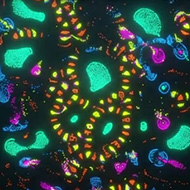
 For Boys
  For Girls



























 2700
2700

