
 For Boys
 For Girls
 For Kids
 Top Games
 My Games
 Top Games
 My Games


Tetra Blocks Game Online

Description
What happens when you and the person next to you both play Tetris on the same screen at the same time, but never actually touch each other’s stack? That’s the question Tetra Blocks answers. It splits the window into two independent playing fields side by side, so you can either grind your own solo run or drop into a head-to-head match against whoever sits down next to you.
| Genre | Puzzle / block-stacking |
| Players | 1 (solo) or 2 (local versus) |
| Platform | Browser |
| Core piece type | Tetriminos |
Tetra Blocks keeps the falling-piece formula almost completely intact. Tetriminos drop from the top of your field, and your job is to rotate and slide them into place to complete full horizontal lines, which then clear and push your score up. Where Tetra Blocks separates itself is in how casually it handles the social side of that loop — a second player can join an in-progress game without interrupting the first player’s streak at all, since each field runs on its own independent piece sequence.
Solo Field vs Versus Field in Tetra Blocks
Even in single-player mode, Tetra Blocks keeps the screen divided into two sections. This isn’t cosmetic — it means a friend can drop in at any point without you having to restart, pause, or renegotiate the session. The game treats “playing alongside someone” and “playing against someone” as two completely separate modes that just happen to share a layout.
When you do decide to compete, Tetra Blocks lets you set the difficulty level, choose the rotation direction for your tetriminos, and remap your own keys before the match starts. None of this is hidden behind menus you need a guide for — it’s front and center, which matters for a game that’s meant to be picked up fast between two people who just want to play.
Because each player’s tetriminos are generated independently rather than mirrored, you can’t copy your opponent’s exact piece order even if you wanted to. The only real way to mess with the other player is psychological — bad jokes, fake sighs, the occasional “oh no” muttered just loud enough to make them second-guess a placement.
Piece Placement Habits That Cost You Lines
The single biggest mistake newer players make in Tetra Blocks is stacking flat instead of leaving a clean well for long pieces. Filling every column evenly feels safe in the moment, but it means the four-block vertical piece — the one every Tetris veteran waits for — has nowhere to land later when you actually need a multi-line clear.
Rotation direction is a smaller detail that trips people up more than expected. Because Tetra Blocks lets you configure which way pieces rotate by default, a player used to one convention from another game can genuinely misjudge a placement in the first few drops of a match, especially under versus-mode pressure with a second field visibly climbing next to theirs.
Difficulty level changes drop speed rather than piece variety, so the jump from a relaxed setting to a harder one is purely about reaction time. Players who are comfortable at a slower speed often get caught off guard the first time they bump the difficulty up, since the extra pressure exposes habits — like pausing too long to plan a rotation — that never mattered before.
Reading Your Opponent’s Field
In versus mode, glancing at the other player’s stack costs you time on your own board, which creates a constant tension between managing your field and tracking theirs. Experienced players in the Tetra Blocks community talk about this as the real skill ceiling of the game — not raw placement speed, but how efficiently you can steal a glance at the second field without losing your rhythm on the first.
There’s a common debate among regulars about whether the two-field split actually creates meaningful competition or just two solo games happening in parallel. Since there’s no way to directly interfere with your opponent’s board — no sending garbage lines, no attacks — some players feel the “versus” label oversells what’s really a side-by-side race rather than a true head-to-head battle. Others argue that’s the entire charm: pure focus against pure focus, decided by consistency rather than sabotage.
- What’s the difference between solo and versus mode in Tetra Blocks? Solo mode still shows two fields on screen, but only one is active — you’re simply racking up your own score without an opponent. Versus mode activates both fields for two separate players, each with an independently generated tetrimino sequence, racing to outlast or outscore the other.
- Can you change the controls for both players in Tetra Blocks? Yes — before starting a versus match, each player can configure their own keys separately, which matters most in this game specifically because the two fields sit close enough together that mismatched key layouts lead to mistaken presses under pressure.
- Does the rotation direction setting affect difficulty in Tetra Blocks? It doesn’t change the challenge on its own, but switching it away from what you’re used to effectively resets your muscle memory for a session, which is why most regulars pick one rotation direction and stick with it rather than toggling it between matches.
Tetra Blocks doesn’t dress up the formula with unlockables or elaborate modes, and it doesn’t need to — two fields, two sets of falling tetriminos, and the simple fact that someone is climbing toward a topped-out stack right next to you is enough to keep a match tense from the first piece to the last line clear.

 22
22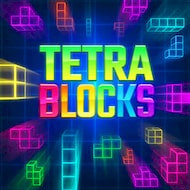
 Puzzle





















 2679
2679


