
 For Boys
 For Girls
 For Kids
 Top Games
 My Games
 Top Games
 My Games


No Blink Allowed Game Online
Description
You watch the clock count down toward zero, your thumb hovering over the stop button, and you already know that hesitating by even a frame will cost you the run. That single moment of tension, repeated over and over with new hazards layered on top, is the entire heart of No Blink Allowed.
| Genre | Arcade / Timing Incremental |
| Platform | PC |
| Length | Short session, replay-focused |
| Core Loop | Timing stops, Memory Shard collection, skill tree spending |
The Timing Loop at the Center of No Blink Allowed
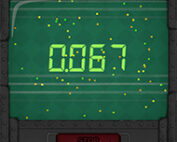
The premise is that you’re helping an old spaceship computer recover its corrupted memory before it loses its mind entirely. Mechanically this translates into a countdown clock that you have to stop as close to zero as possible. A stop registers as a perfect if it lands between roughly 0.008 and 0.000, since the game tracks timing at 120 frames per second under the hood, which is tight enough that most early attempts miss by a visible margin.
Every successful stop earns Memory Shards, the currency you spend on a skill tree that gradually unlocks new upgrades, hazard toggles, and quality-of-life boosts. Early on the clock behaves predictably, but the game intentionally starts stacking complications almost as soon as you’re comfortable.
Beginners often try to react the instant the numbers look close, which almost always overshoots. The better approach players settle into is anticipating the stop slightly before the numbers confirm it, since human reaction time alone isn’t fast enough to land a perfect on pure response.
Glitching Displays and Hidden Timers
Once you start unlocking hazards through the skill tree, the countdown stops being a simple readable number. Glitching displays scramble the digits mid-run, hidden timers remove the countdown entirely for stretches, and disturbing artifacts flicker across the screen as distractions rather than genuine obstacles.
Rewinding time and a shrinking circle hazard both punish players who rely purely on watching the numbers, since they force you to track motion or spatial cues instead. Slow motion sections do the opposite, stretching out the window long enough that overconfidence becomes the real threat rather than reaction speed.
Hidden end digits are probably the hazard most players complain about first, since they remove the exact visual feedback that made early stops feel controllable. It’s a deliberate difficulty spike, and reactions to it in early feedback are mixed: some players enjoy being forced to rely on rhythm and feel rather than reading numbers, while others find it turns a precision game into a guessing game.
Chaotic Multi-Stops and Combined Hazards
Later runs introduce chaotic multi-stops, where you’re managing more than one countdown at once, each potentially running a different hazard combination. This is where the skill tree investment starts to matter more than raw timing skill, since certain upgrades soften specific hazard combinations rather than improving your reflexes directly.
- Stack hazards gradually rather than all at once when experimenting
- Prioritize skill tree nodes that counter the hazard giving you the most trouble
- Treat multi-stops as a spacing puzzle rather than a pure reflex test
Rhythm game players tend to adapt to the multi-stop sections faster than players coming from pure reaction-based games, since the underlying pacing rewards internal counting over raw reflexes.
The Auto Forward Boost and Skill Tree Choices
One upgrade worth knowing about by name is Auto Forward, previously called Auto Rewind before a naming pass made its function clearer. It’s one of several skill tree boosts that change how forgiving a given hazard combination feels, and players spending Memory Shards efficiently tend to prioritize boosts that target whichever hazard is currently ending their runs rather than generically stacking every available upgrade.
By the time hidden timers and shrinking circle are both active in the same run, a poorly built skill tree path becomes obvious fast.
Achievements and Chasing a Perfect Stop
Achievement hunters chasing something like stopping the timer at exactly 0.000 with three hazards active, or landing four perfect stops in a row, will spend a meaningful amount of time in short, repeated sessions rather than one long sitting. That structure suits the game’s short overall length, and it’s part of why some players in early discussions describe replaying it well beyond a single completion.
Common questions about No Blink Allowed
- How do you get a perfect stop in No Blink Allowed? A perfect requires stopping within roughly 0.008 of zero, tracked at 120 frames per second, which means anticipating the stop slightly early rather than reacting the instant the numbers look close.
- What does the Auto Forward boost actually do? Auto Forward is a skill tree upgrade renamed from Auto Rewind to better reflect its function, and it’s typically taken to soften whichever active hazard is causing the most missed stops.
- How many hazards are there in No Blink Allowed? The current build includes several, including glitching displays, hidden timers, chaotic multi-stops, rewinding time, a shrinking circle, slow motion, hidden end digits, and disturbing artifacts, unlocked gradually through the skill tree.
No Blink Allowed compresses a lot of tension into a short game built around a single moment repeated with escalating complications, and once hidden end digits or a chaotic multi-stop enter the mix, that one-button premise stops feeling simple at all.

 40
40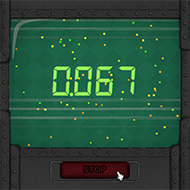
 1 Player
  For Boys
  For Girls



























 2677
2677


