
 For Boys
 For Girls
 For Kids
 Top Games
 My Games
 Top Games
 My Games


Bugscraper Game Online

Description
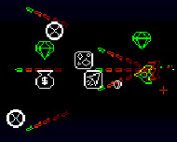
Bugscraper looks like a cute pixel bug hunt with a friendly elevator and a soft color palette, but it plays like a bullet-soaked fever dream the moment the third floor throws two enemy types at you at once. That contrast is the entire pitch of the game, and it’s why the first ten minutes tend to undersell what’s actually coming.
| Genre | Roguelike shooter |
| Platform | Windows, macOS, Linux |
| Players | Solo or up to 4-player local co-op |
| Core Mechanic | Floor-by-floor elevator combat with weapon and upgrade pickups |
Mio, Co-op, and the Elevator That Never Stops
You play as Mio, or one of Mio’s coworkers if you’re bringing friends into local co-op, all of them fed up employees of a skyscraper that just happens to be crawling with hostile bugs from top to bottom. The framing is deliberately silly — this is a workplace grievance turned into a shooter — but the tone doesn’t soften the actual difficulty once the doors close and a new floor’s worth of enemies pours in.
Co-op is where a lot of the game’s personality shows up. Up to four players can tackle the tower together, and the enemy density scales to account for the extra firepower, which means solo runs and full four-player runs end up feeling like genuinely different games rather than the same experience with more bodies on screen. Players who prefer methodical, one-enemy-at-a-time engagements tend to gravitate toward solo runs, while players who enjoy chaotic, overlapping crossfire look for co-op groups specifically.
The elevator itself functions as both the game’s central hub and its pacing device — you don’t get to linger on a cleared floor, since the game pushes you upward toward your boss’s office almost immediately once the last enemy drops. That constant forward pressure is part of what gives Bugscraper its identity, and it’s a deliberate choice that separates it from slower-paced roguelikes where players can rest between encounters.
Newer players sometimes underestimate how quickly that pressure ramps, treating the first few floors as a warm-up rather than the actual difficulty curve it represents.
Weapons, Upgrades, and Reading the Floor Before You Shoot
The arsenal in Bugscraper is built around constant swapping rather than committing to one loadout for an entire run. Weapon pickups replace whatever you’re currently holding rather than stacking, which means every floor forces a small decision about whether to trade a familiar weapon for an unknown one — a design choice that keeps runs feeling fresh but has also drawn some criticism from players who wanted more control over their loadout.
Upgrades layer on top of weapons and generally push toward build variety rather than a single dominant strategy, encouraging players to lean into whatever combination the run has handed them instead of chasing one ideal setup across every attempt. Players who enjoy build experimentation tend to get the most long-term value out of Bugscraper, since no two runs offer quite the same combination of weapon and upgrade pickups.
Reading a floor before engaging matters more than the game initially signals. Enemy spawn patterns vary enough between floors that charging in with the same approach every time gets punished eventually, and players who take a beat to scan a room before shooting tend to have noticeably longer survival streaks than players who rush every encounter the same way.
Where New Players Lose Runs in Bugscraper
The tight elevator space is unforgiving once enemy variety increases past the first few floors, and new players consistently underestimate how quickly a corner can become a dead end when several enemies converge at once. Positioning becomes the real skill test here, more so than raw reflexes or weapon choice.
A common mistake is treating every floor identically instead of adjusting to the specific enemy mix the game throws at you, since some combinations reward aggressive pushes while others punish anyone who isn’t using the environment to control angles. Players coming from twin-stick shooters sometimes expect free-form movement to solve most problems, but the tighter space in Bugscraper rewards patience and spacing over pure mobility.
Endless mode is where this difficulty curve gets tested most directly, since it strips away the natural stopping point of reaching the boss and instead asks players to see how many consecutive floors they can survive. It’s become something of a personal benchmark within the community, with players comparing endless mode streaks the way other roguelike communities compare run times.
Endless Mode and the Long Climb to the Boss’s Office
Reaching your boss’s office at the top of the tower is the game’s actual win condition, and getting there means surviving a long sequence of escalating floors rather than a handful of curated encounters. The climb is deliberately grueling, and the game leans into that tedium as part of the joke — you really are just another exhausted employee trying to survive one more shift.
Bugscraper’s controls are fully rebindable, which matters more than it sounds like it should, since the default jump button has been a genuinely common point of confusion for players used to more conventional platformer layouts. The developer has addressed this directly in comments, noting the default choice traces back to earlier PICO-8 development habits rather than any specific design intent, and encouraging players to rebind early rather than fight the defaults.
The full release expands considerably on the original browser demo, which topped out around sixteen floors — the finished version pushes the climb out across a hundred waves of enemies before the boss fight, a jump in scale that’s become one of the most commonly cited differences between the free demo and the full version.
Between Mio’s grumbling coworker energy and the sheer length of the climb toward the boss’s office, Bugscraper turns a simple pest-control premise into something with real staying power, and the shift from the demo’s sixteen floors to the full game’s much longer run is usually the first thing longtime players mention when comparing versions.

 57
57































 2688
2688


