
 For Boys
 For Girls
 For Kids
 Top Games
 My Games
 Top Games
 My Games


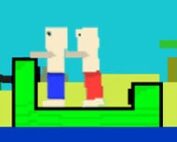
Melon Sandbox Game Online

Description
The melons in Melon Sandbox aren’t decoration — dragging one into an empty map and watching it react to the first prop you drop nearby is the entire physics test the game is built around.
| Genre | 2D ragdoll physics sandbox |
| Maps | 12 grid-based environments |
| Ragdoll types | Melon, pumpkin, apple, cactus, stickman, and more |
| Objectives | None — fully open-ended |
Spawning Your First Scene in Melon Sandbox
Everything starts from the spawn menu along the side of the screen, where characters, weapons, props, and vehicles wait to be dragged into a blank map. There’s no tutorial gating any of it — the full toolkit is available the moment you load in, which is either liberating or overwhelming depending on how much you like being handed every tool at once.
New players tend to spawn far too much at once, filling the screen with objects before understanding how any single one behaves. A cleaner approach is placing one ragdoll and one prop, running the physics, and watching exactly how they interact before scaling up to anything more chaotic.
Right-clicking an object opens a context menu with actions like Freeze, Activate, and Set Transform, which matter more than they look — Freeze in particular lets you suspend a platform or prop mid-air so you can build around it before letting physics take over.
Ragdolls, Props, and What Each One Reacts To
Character options go well beyond the default melon head — pumpkin, apple, cactus, and stickman variants are all available, and each one responds slightly differently to force and damage, which matters more than it seems once you’re stacking explosives or launching vehicles at them.
Props span furniture, crates, barrels, and platforms, and every object carries its own weight and collision behavior. A crate dropped on a thin platform behaves very differently from the same crate dropped on solid ground, and figuring that out by trial and error is most of what early sessions in Melon Sandbox actually consist of.
Weapons cover knives, guns, explosives, and flamethrowers, each producing distinct ragdoll reactions on impact. Players experimenting with combat setups quickly learn that timing an explosion against a stacked group of characters produces far more interesting chain reactions than triggering it against a single target.
Building Chaos and Building Calm in Melon Sandbox
The game doesn’t push players toward destruction specifically — a peaceful town built with flat terrain, greenery, and friendly-looking ragdolls is just as valid a session as a combat arena stacked with explosives. What you build is entirely a matter of personal taste rather than anything the game rewards or penalizes.
That said, community builds skew heavily toward chaos: vehicle crash tests launching cars and jeeps into walls, domino-style explosion chains, and elaborate traps rigged to fire the moment a ragdoll walks past a trigger point. It’s the kind of unpredictability that makes repeat sessions feel worthwhile even without any scoring system behind them.
Players who enjoy planning tend to gravitate toward pause mode, setting every object precisely before unpausing to watch the whole scene play out in one uninterrupted burst, while players who enjoy improvising skip straight to spawning and reacting on the fly.
Freeze, Activate, and the Tools That Shape Melon Sandbox
The Freeze tool is the one most players underuse early on. It suspends an object in place regardless of gravity, which makes it possible to build multi-part contraptions — a platform held aloft, a thruster attached beneath it, a ragdoll balanced on top — without everything collapsing before you’ve finished placing the pieces.
Activate triggers an object’s behavior on demand rather than waiting for a physical interaction to set it off, which is essential for anything timing-dependent, like a chain of explosives meant to detonate in sequence rather than all at once.
Set Transform gives finer control over size, angle, and position after an object is already placed, letting you adjust a build without deleting and respawning everything from scratch — a small feature, but one that separates a rough first attempt from a genuinely refined scene.
How many maps does Melon Sandbox have?
Twelve grid-based maps are available, each offering a different environment and layout for building scenes, from open flat terrain to more cluttered or vertical spaces.
Can you play Melon Sandbox without any combat or destruction?
Yes — the game has no missions or objectives, so a session built entirely around peaceful town-building or quiet physics testing is just as complete an experience as one built around explosions.
What’s the difference between the ragdoll types in Melon Sandbox?
Melon, pumpkin, apple, cactus, and stickman characters all share the same underlying ragdoll physics but react with slightly different weight and durability, which becomes noticeable once you start applying force or damage to them.
- Start with one ragdoll and one prop before scaling up
- Use Freeze to hold objects in place while building
- Use Activate to trigger timed chain reactions on demand
There’s no win state in Melon Sandbox and never really was — the appeal sits entirely in dragging a melon onto a platform, freezing a thruster underneath it, and finding out exactly how badly things go once you hit unpause.


 228
228 For Boys

























 2700
2700

